 DMediQ
EMR & Doctor Desk
EMR Software — Electronic Medical Records for Doctors
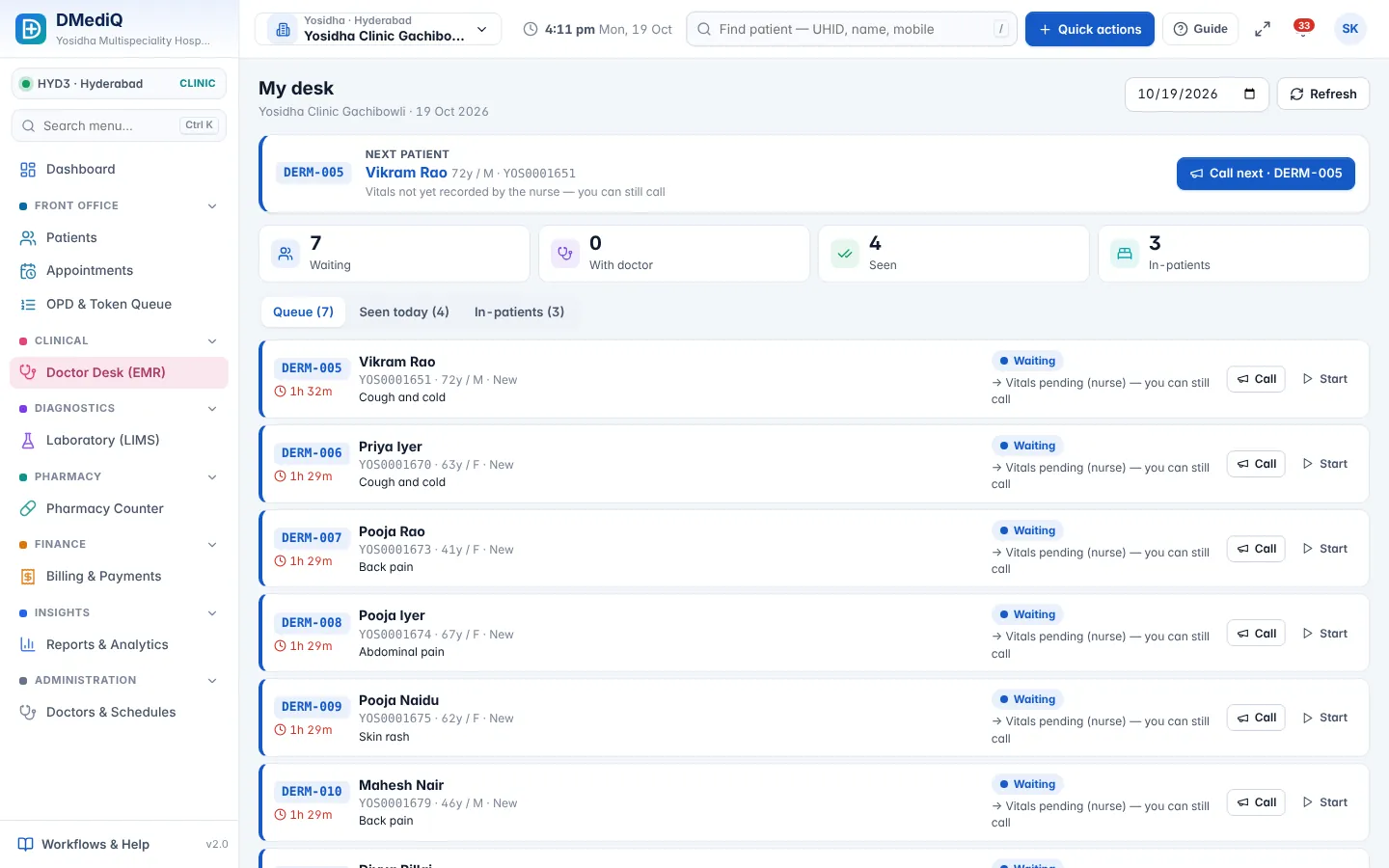
Give doctors one screen with the full patient history, quick templates and e-prescriptions that print in seconds.
Key features
Speciality templates
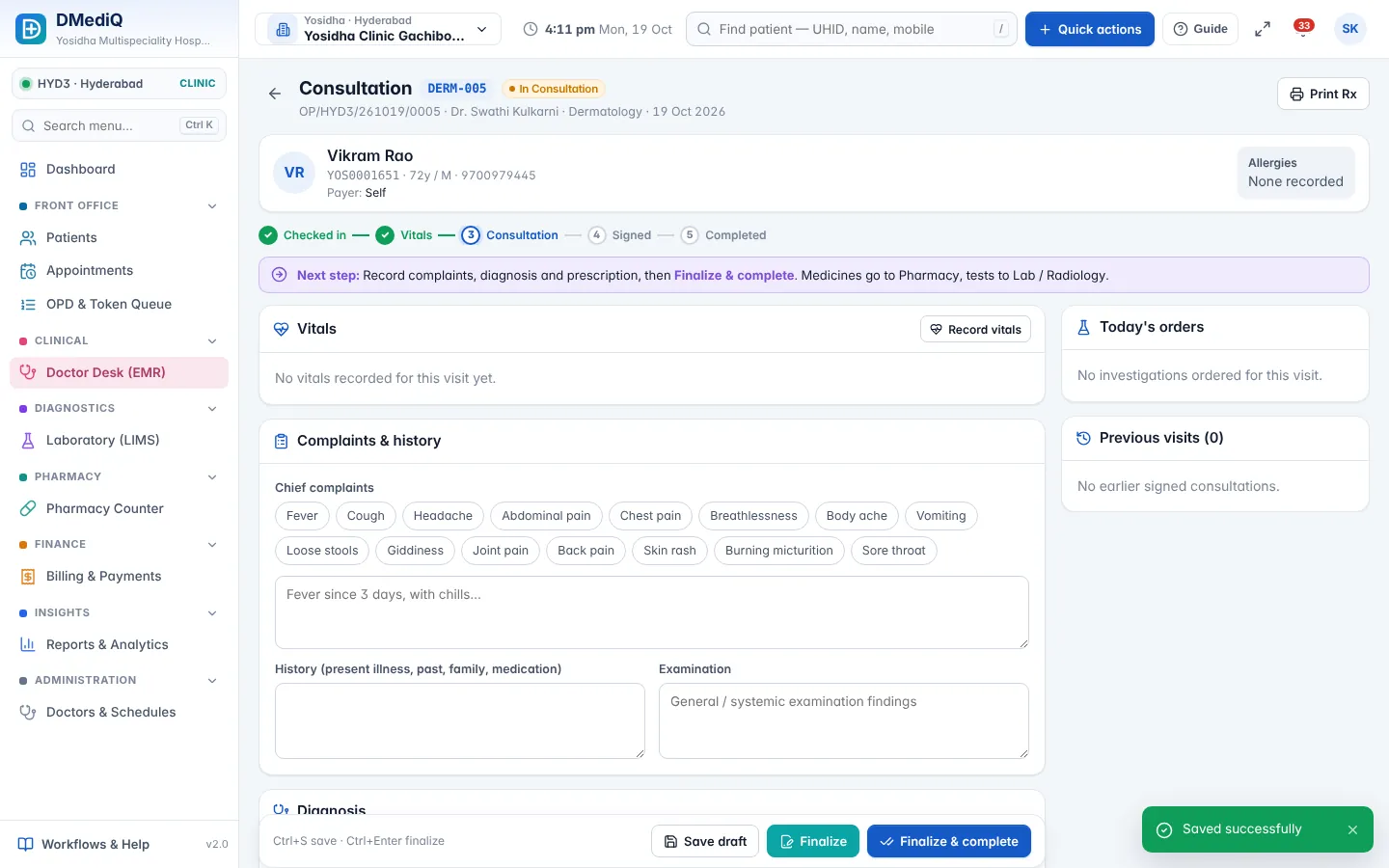
Chief complaints, examination and advice templates for each speciality — or build your own.
ICD-10 diagnosis
Searchable ICD-10 codes for clean records, reports and insurance claims.
e-Prescription
Drug search with strength and frequency, favourites, interaction hints and multi-language print.
Orders & results
Order lab, radiology and procedures; results come back into the same record.
Timeline & documents
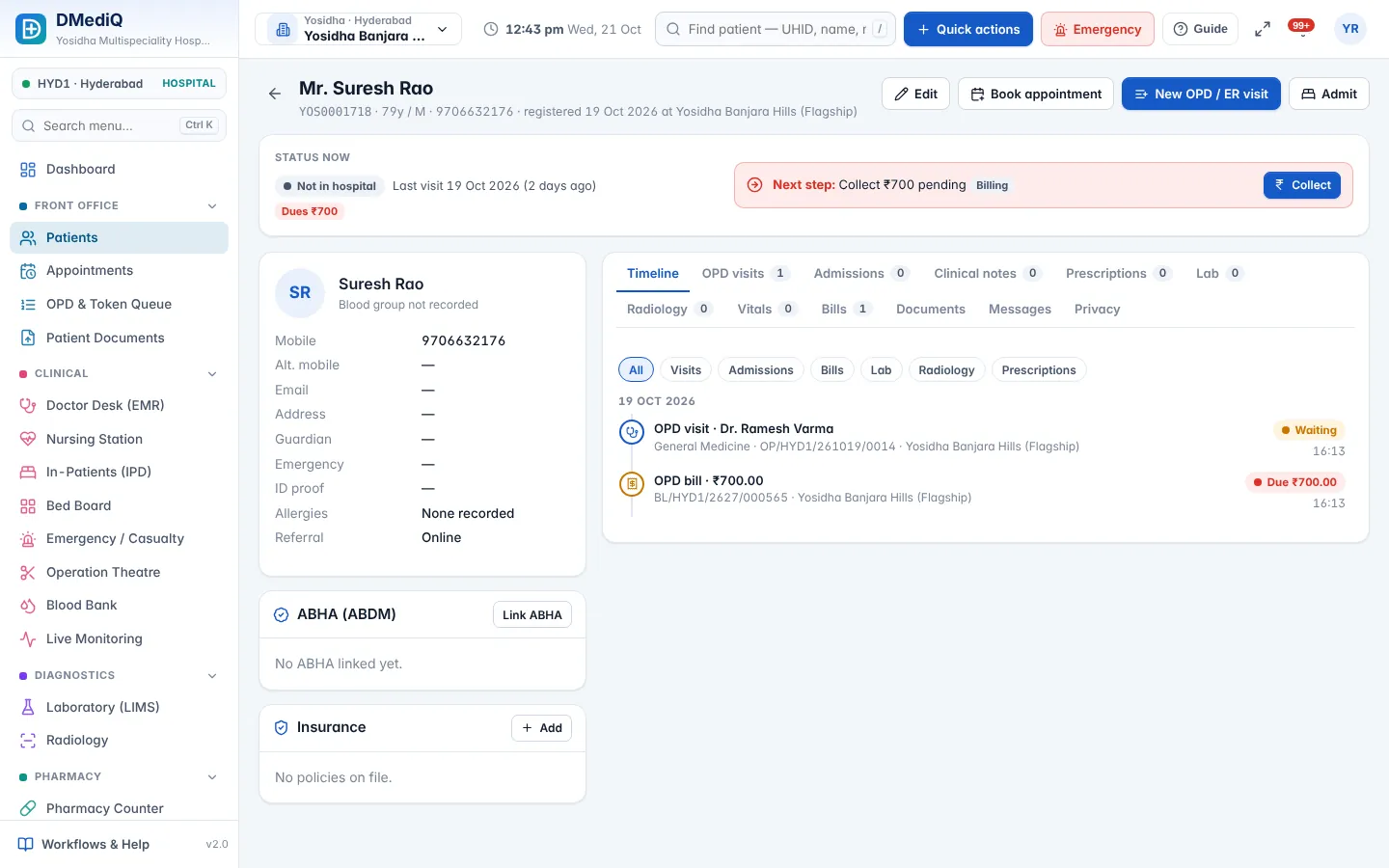
Past visits, vitals trends, scanned old reports and consent forms in one timeline.
Health ID ready
Capture national health IDs (e.g. ABHA in India) at registration and link records.
More screens
Example: a diabetes follow-up in under 3 minutes
- Step 1
Doctor opens the next token — last HbA1c trend and current medicines are already on screen.
- Step 2
Applies the “Diabetes follow-up” template, adjusts the dose, adds ICD-10 E11.9.
- Step 3
Orders HbA1c for next visit and prints the prescription in the patient's language.
Illustrative example with sample data.
FAQ — EMR & Doctor Desk
Can doctors use it on a tablet?
Yes. The doctor desk is touch-friendly and works on tablets and phones.
Can we keep our own templates?
Yes. Templates are editable per doctor, department or hospital.
Can we print prescriptions in local languages?
Yes. Prescriptions can print in English, Hindi or Arabic, with your letterhead.
Can old paper records be added?
Yes. Scan and upload old reports to the patient's documents; they appear in the timeline.
Are doctors' notes secure?
Yes. Access is role-based and every view of sensitive records is logged.
Works together with
Hospital Management (HIS)
Run every department of your hospital on one connected platform — from the front desk to discharge, across one branch or fifty.
OPD & Appointments
Book, check in, triage and call patients in order — with live doctor load and zero confusion at the front desk.
IPD, OT & Emergency
See every bed, every surgery and every emergency case in real time — and discharge faster with complete bills.