 DMediQ
Speciality
General Surgery software
Pre-op work-up, OT notes, post-op orders and day-care surgery packages — with insurance pre-authorisation.
EMR template for General Surgery
Ready to use on day one and editable by your doctors.
- Surgical history and examination
- Pre-op checklist and fitness
- Operative notes (procedure, findings, implants)
- Post-op orders and wound care
Workflows covered
Every step is connected to billing, pharmacy and the lab.
- Day-care and in-patient surgery packages
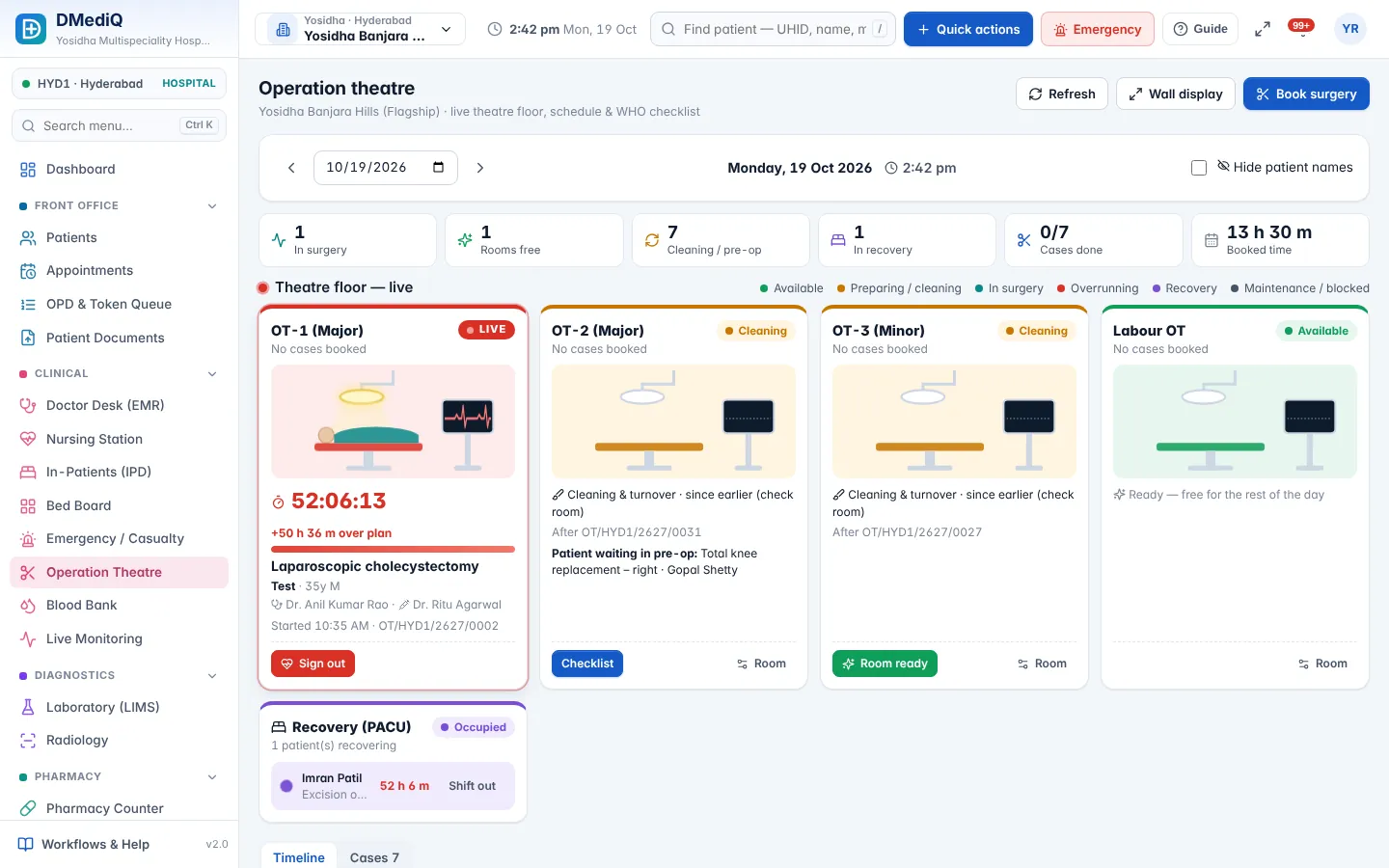
- OT calendar with surgeon and anaesthetist teams
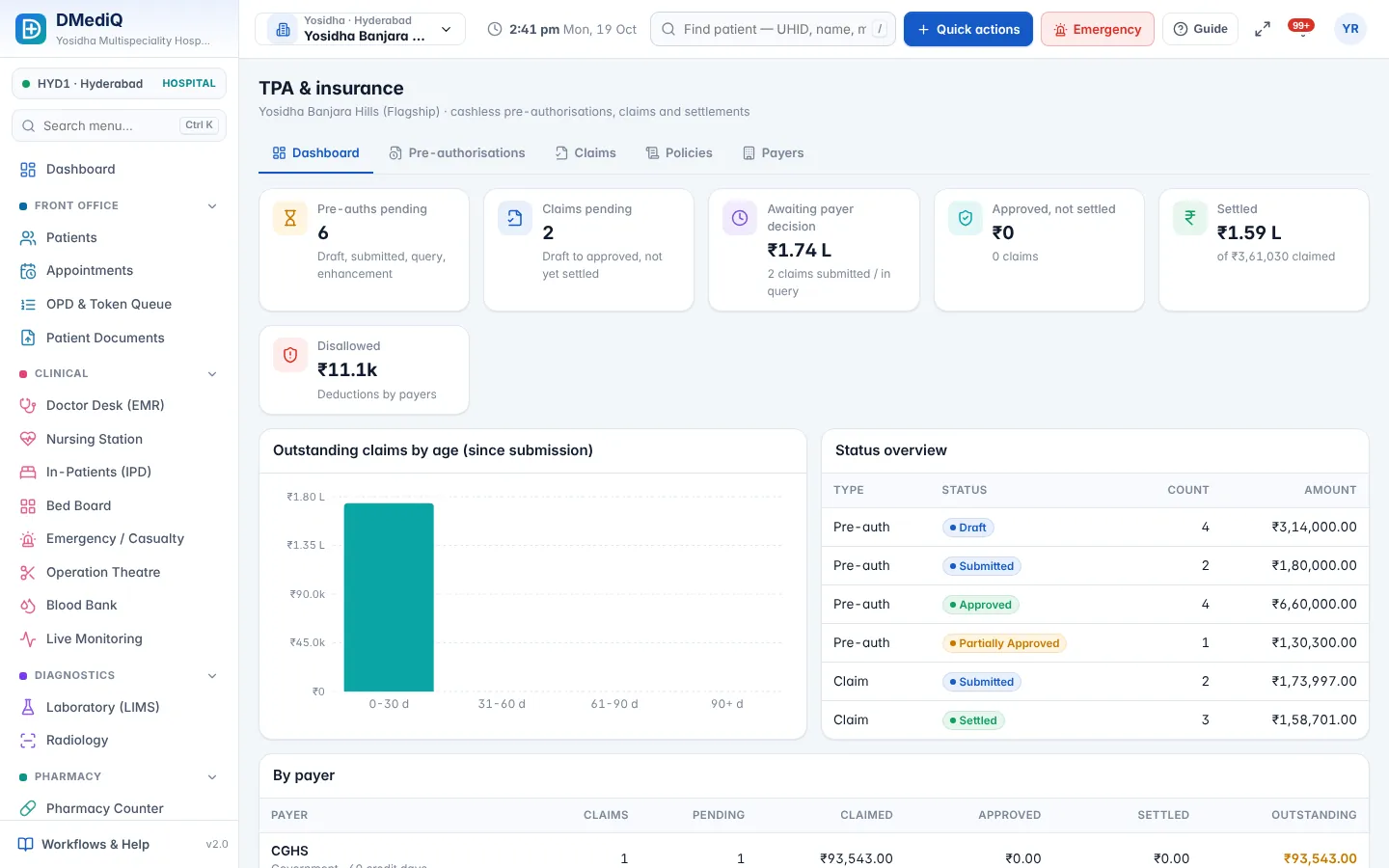
- Pre-auth and enhancement for insurance
- Discharge summary with follow-up date
General Surgery in DMediQ — screens
Example: a general surgery patient in DMediQ
- Step 1
Laparoscopic cholecystectomy is advised; the package and pre-auth are raised.
- Step 2
OT is booked; the checklist is completed by the nurse.
- Step 3
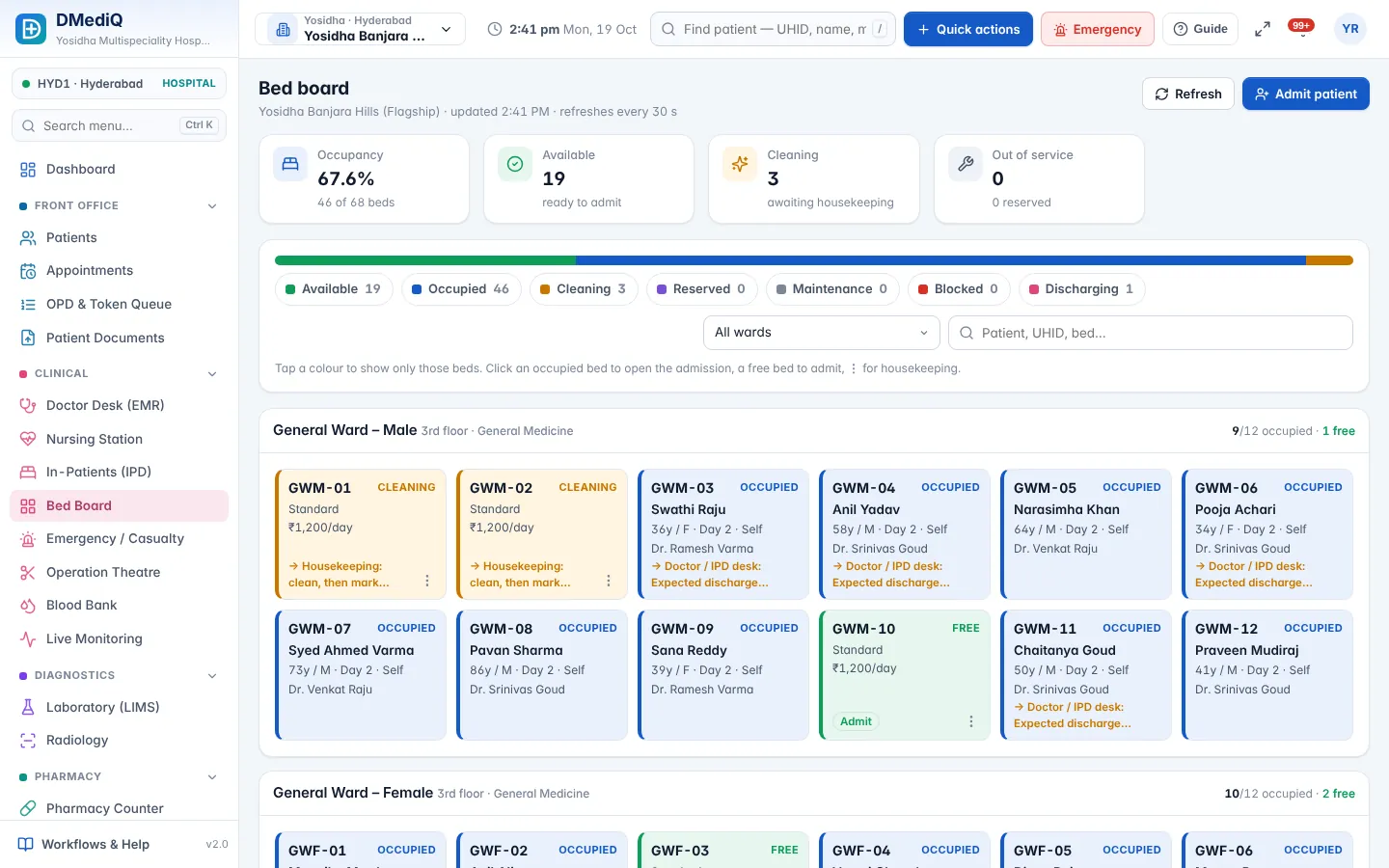
Op notes are recorded; the patient moves to recovery and then the ward.
- Step 4
Discharge happens the next day with a final bill and claim.
Illustrative example with sample data.
Modules used by General Surgery
FAQ — General Surgery
Can we track OT utilisation?
Yes. OT reports show cases, durations and utilisation by theatre and surgeon.