 DMediQ
OPD & Appointments
OPD Management & Appointment Scheduling Software
Book, check in, triage and call patients in order — with live doctor load and zero confusion at the front desk.
Key features
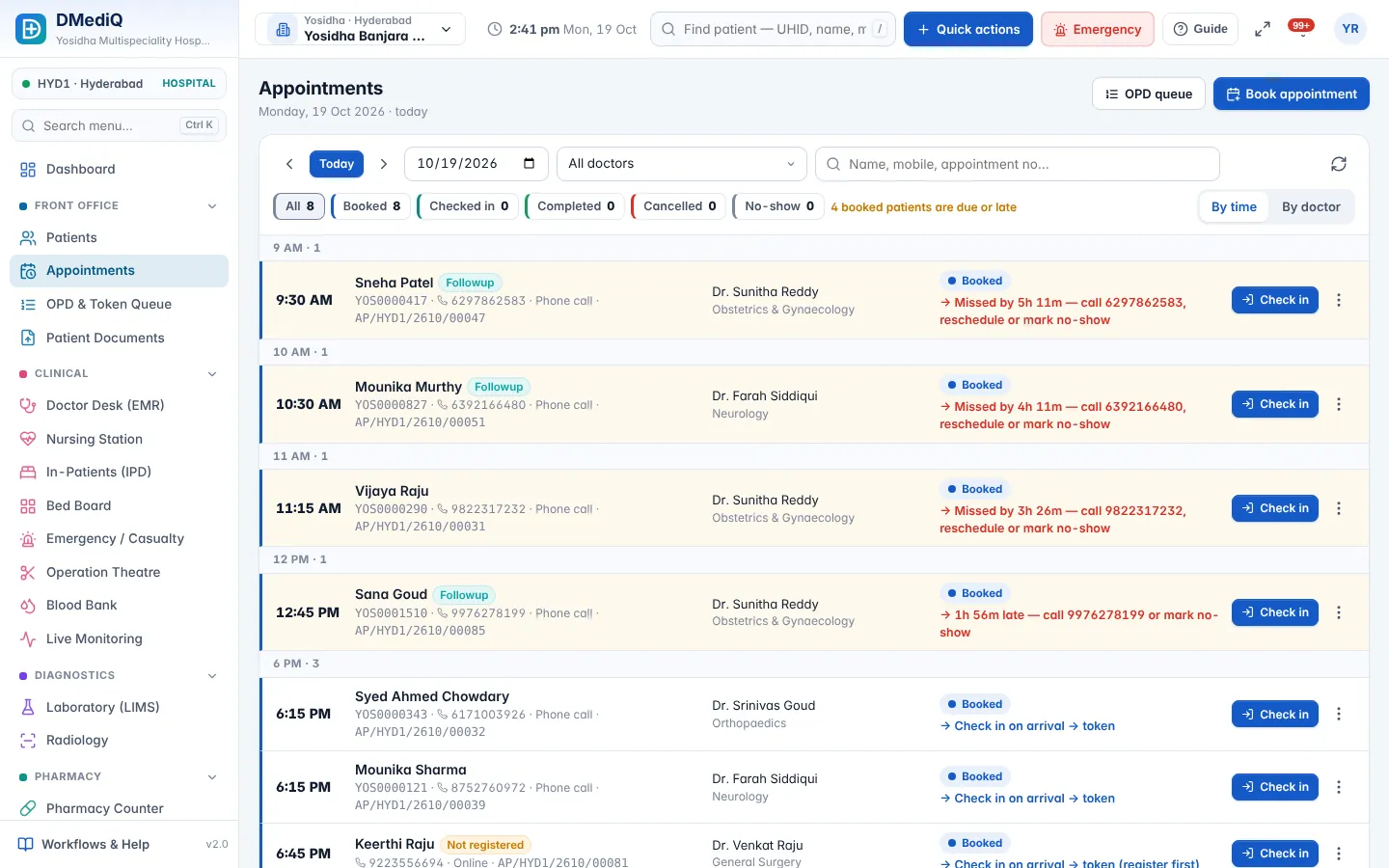
Doctor schedules & slots
Weekly timings, leaves and slot length per doctor; double-booking is blocked.
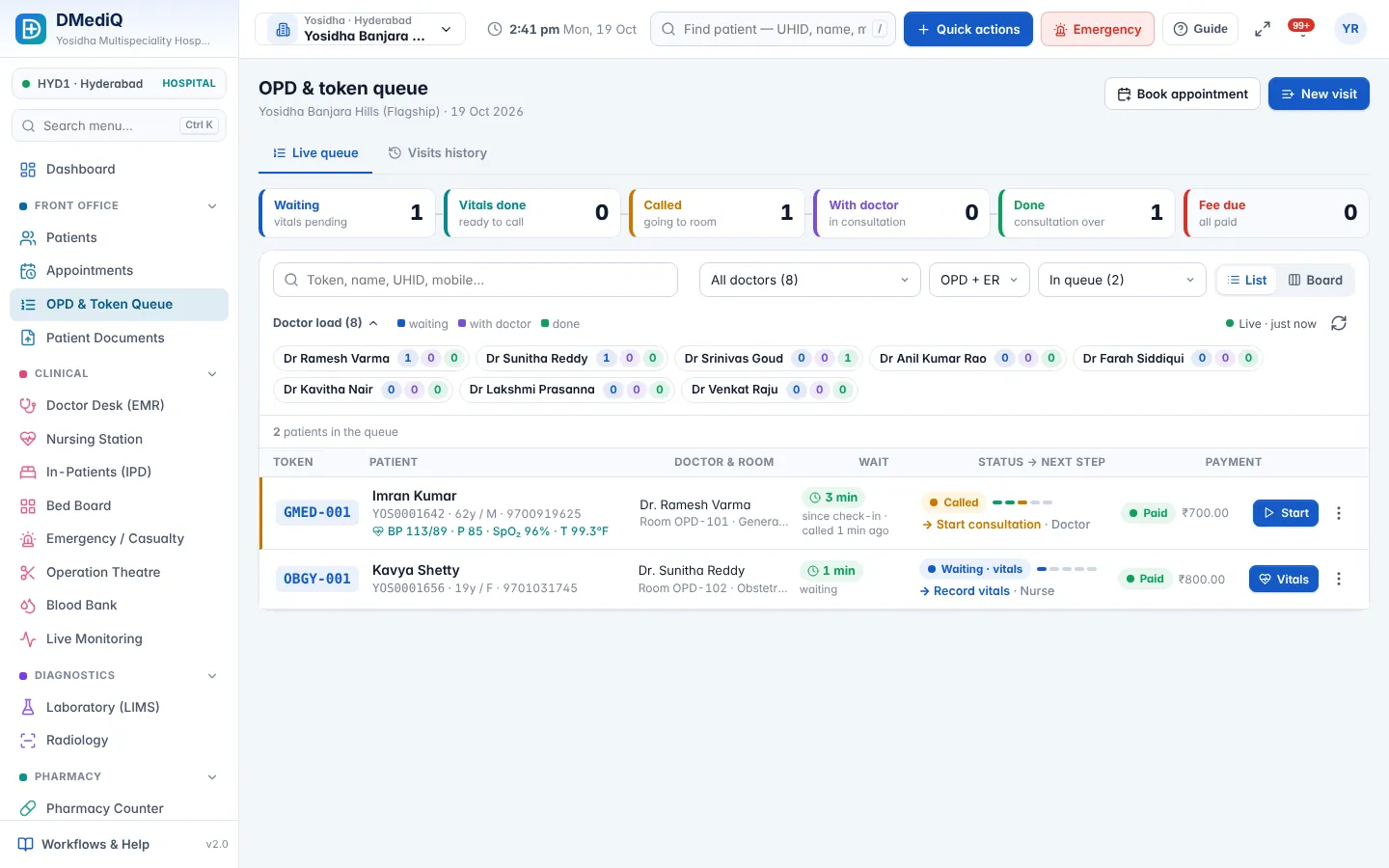
Token queue
Waiting → vitals → called → with doctor → done, with live counts and per-doctor load.
Self check-in kiosk
Patients check in on a touchscreen; the token prints and the queue updates.
TV token display
Show the now-serving token for each room on any TV browser.
Fees & follow-ups
Consultation fees, free follow-up windows and partial payments handled automatically.
Reminders
SMS/WhatsApp confirmations and reminders from editable templates.
More screens
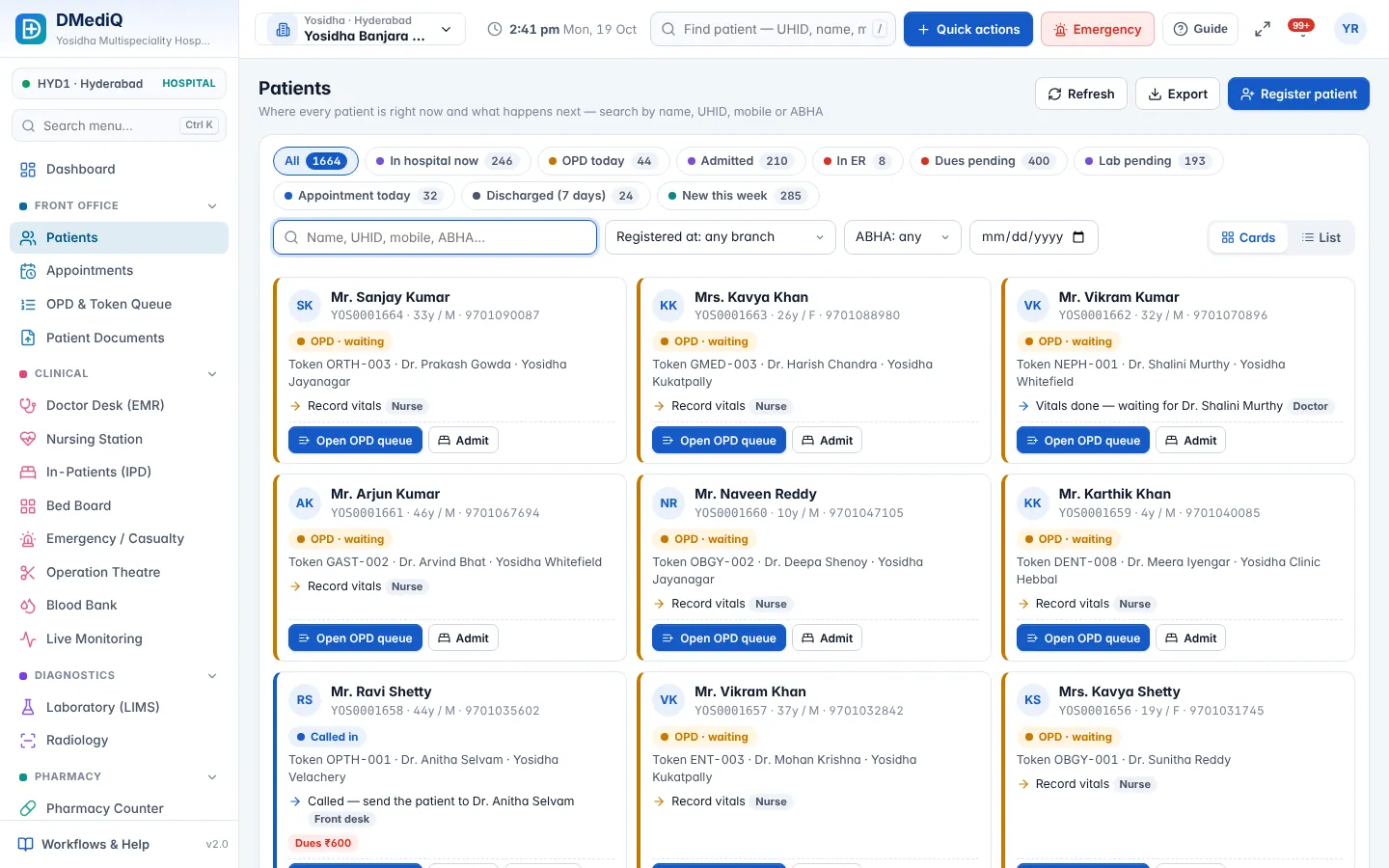
Example: Monday morning rush
- Step 1
40 patients booked online for 4 doctors; 12 walk-ins arrive.
- Step 2
Walk-ins check in at the kiosk; booked patients scan their SMS link.
- Step 3
Reception sees Dr. Rao has 14 waiting and moves 3 follow-ups to Dr. Nair.
- Step 4
The TV board calls each token; average wait drops visibly on the dashboard.
Illustrative example with sample data.
FAQ — OPD & Appointments
Can patients book online?
Yes — through a booking link or your website. Bookings appear in the same calendar used by reception.
Does it support walk-ins and emergencies?
Yes. Walk-ins get the next token; emergency cases can be prioritised or sent to casualty.
Can patients get token updates on their phone?
Yes. Booking confirmations, reminders and token updates can go by SMS or WhatsApp.
Can one doctor work across branches?
Yes. Set separate schedules per branch; bookings respect each branch's timings.
Can we collect fees at booking?
Yes. Fees can be collected at booking, at check-in, or after consultation.
Works together with
Hospital Management (HIS)
Run every department of your hospital on one connected platform — from the front desk to discharge, across one branch or fifty.
EMR & Doctor Desk
Give doctors one screen with the full patient history, quick templates and e-prescriptions that print in seconds.
IPD, OT & Emergency
See every bed, every surgery and every emergency case in real time — and discharge faster with complete bills.