 DMediQ
Analytics, Security & Setup
Hospital Analytics, Roles, Data Privacy & Easy Setup
Know what's happening, control who sees what, protect patient data and onboard a new hospital in days.
Key features
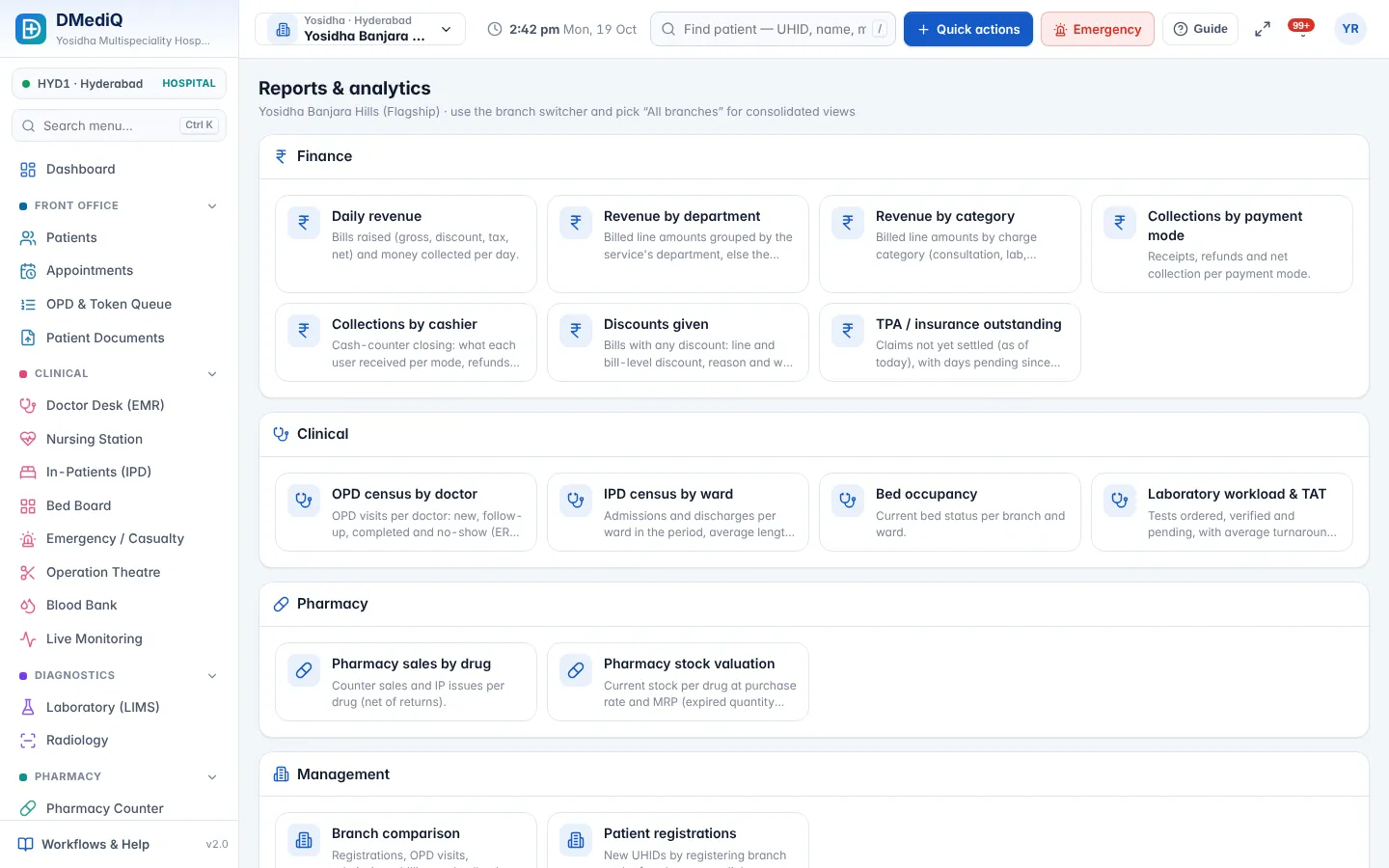
MIS & dashboards
Revenue, collections, footfall, occupancy, TAT and stock — by branch, department and doctor.
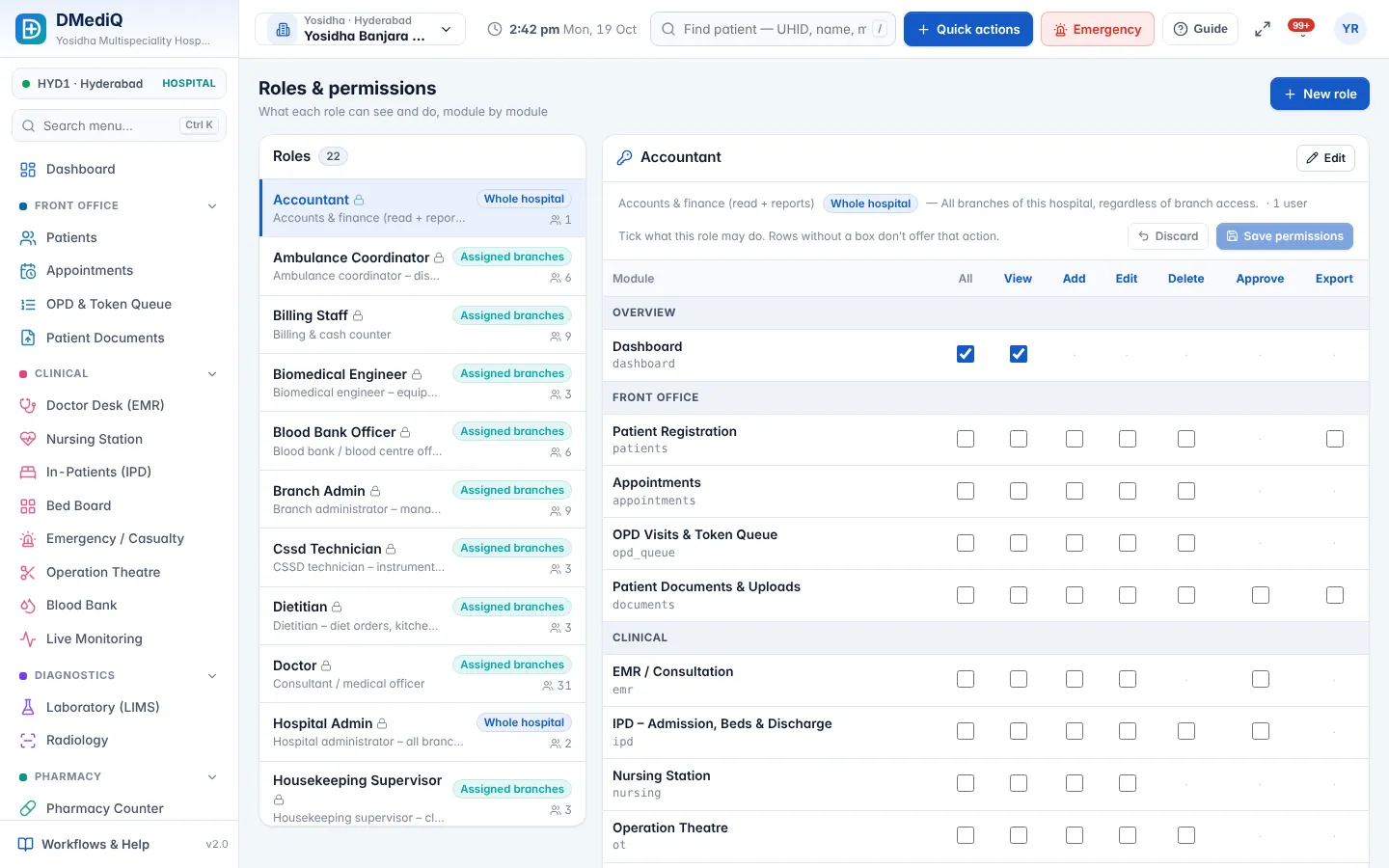
Roles & permissions
View/add/edit/delete/approve per module, plus branch scoping.
Audit trail
Who changed what and when, for every sensitive record.
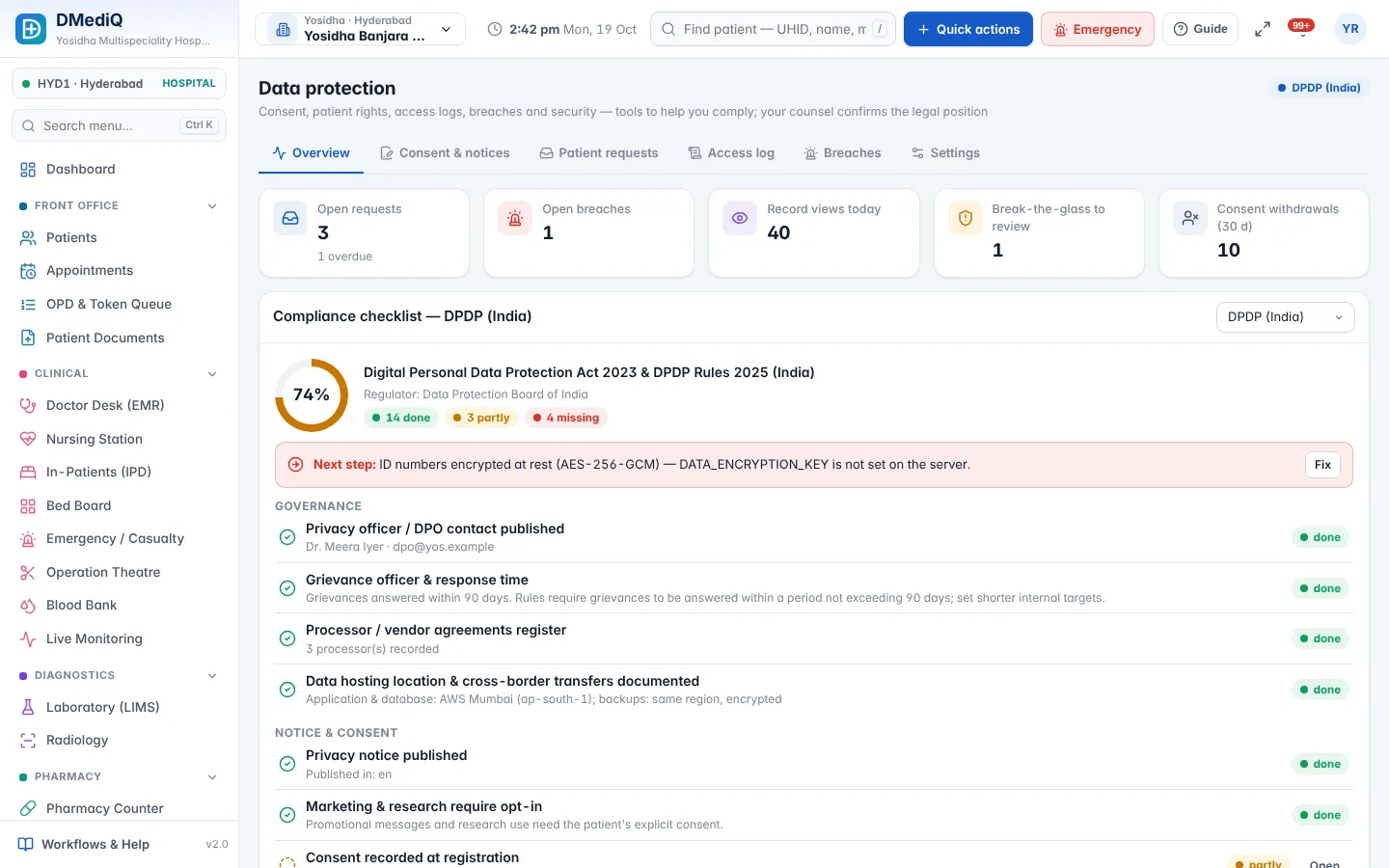
Data privacy tools
Consent records, patient access logs, data-subject requests, field encryption and 2-factor login — built to support GDPR, India's DPDP Act and HIPAA-style controls.
Any country
Currency, tax, date formats, ID types and phone rules for 76 countries; English, Hindi and Arabic (RTL) interface.
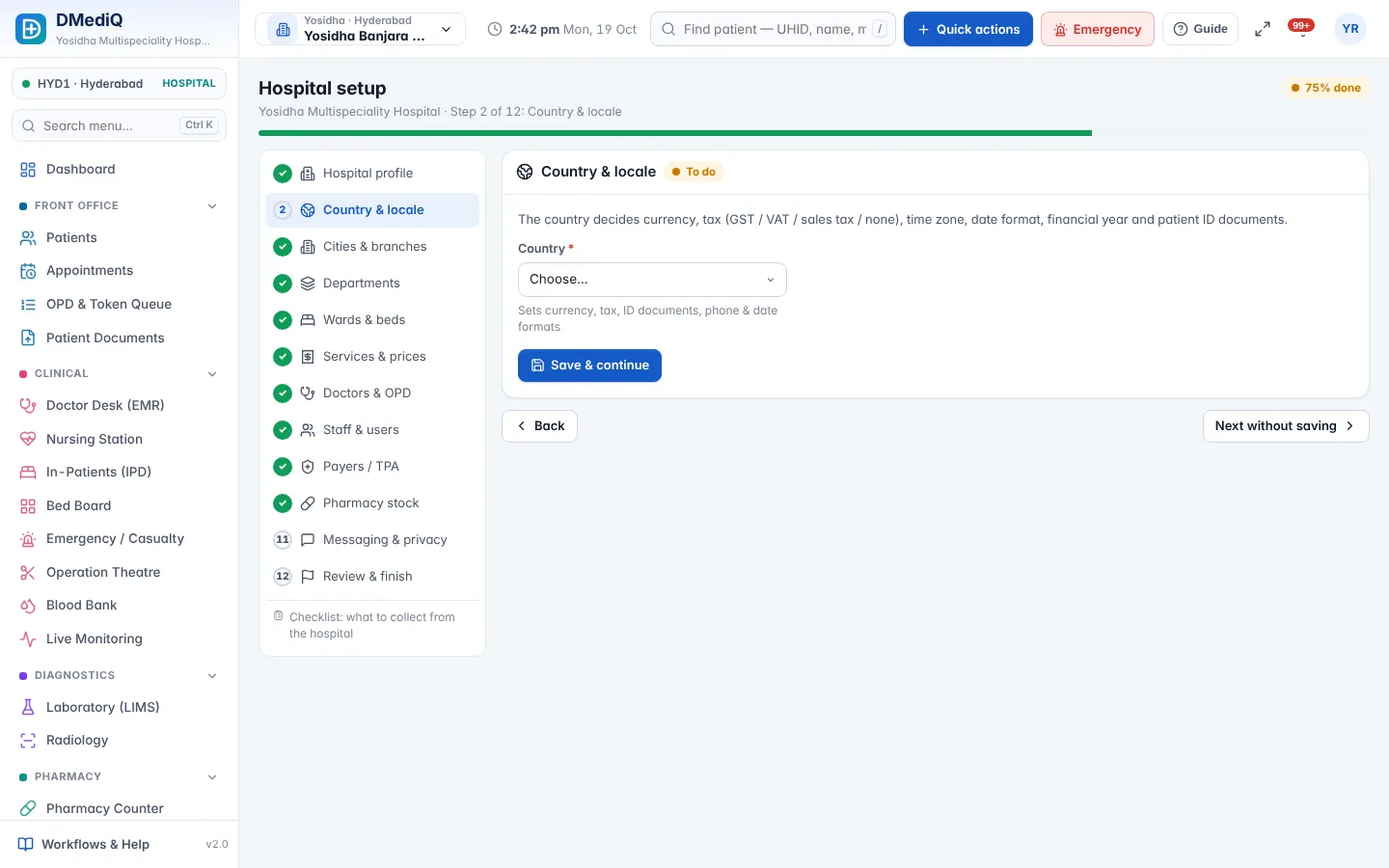
Setup wizard
12 guided steps with Excel/CSV import for branches, doctors, services, staff, payers and stock.
More screens
Example: onboarding a new 3-branch hospital
- Day 1
install, create the admin, choose the country.
- Day 2–4
import branches, wards, 600 services and 45 doctors from the hospital's Excel sheets.
- Day 5
staff training, then go live branch by branch.
Illustrative example with sample data.
FAQ — Analytics, Security & Setup
Is DMediQ GDPR / HIPAA certified?
Certification applies to organisations, not software. DMediQ provides the technical controls (consent, access logs, encryption, audit, 2FA) that help you comply.
Can we export reports to Excel?
Yes. Reports can be exported to Excel/CSV or printed.
Can we limit what each user sees?
Yes. Permissions are set per module and action, and branch admins see only their branches.
How long does setup take?
Most hospitals finish the setup wizard in a few days using their existing Excel sheets.
Works together with
Hospital Management (HIS)
Run every department of your hospital on one connected platform — from the front desk to discharge, across one branch or fifty.
OPD & Appointments
Book, check in, triage and call patients in order — with live doctor load and zero confusion at the front desk.
EMR & Doctor Desk
Give doctors one screen with the full patient history, quick templates and e-prescriptions that print in seconds.