 DMediQ
Laboratory (LIMS) & Radiology
Laboratory Information System (LIMS) & Radiology Software
From sample barcode to verified report — with reference ranges, critical alerts and secure report links for patients.
Key features
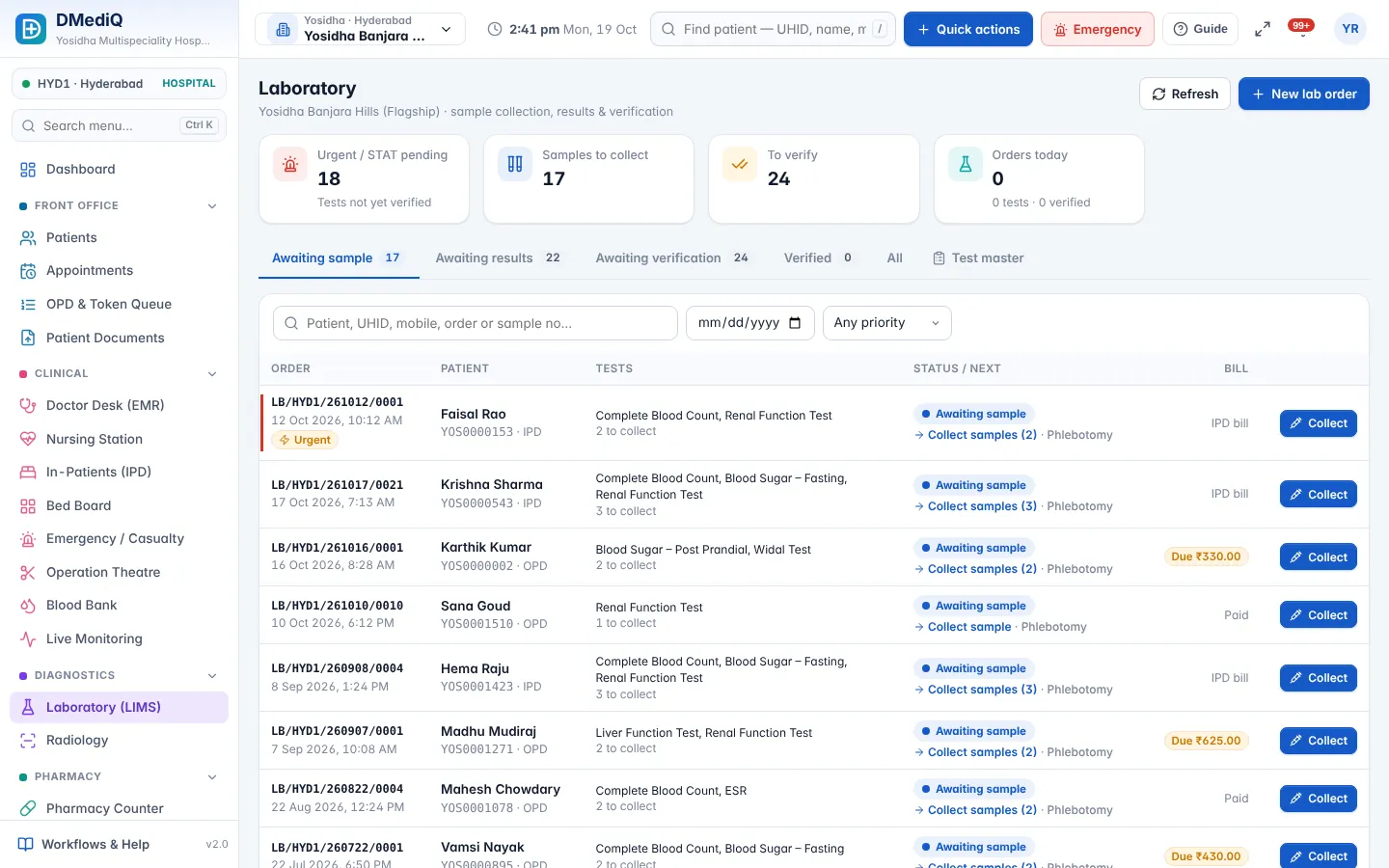
Barcode samples
Print barcode labels at collection; track every sample by status and TAT.
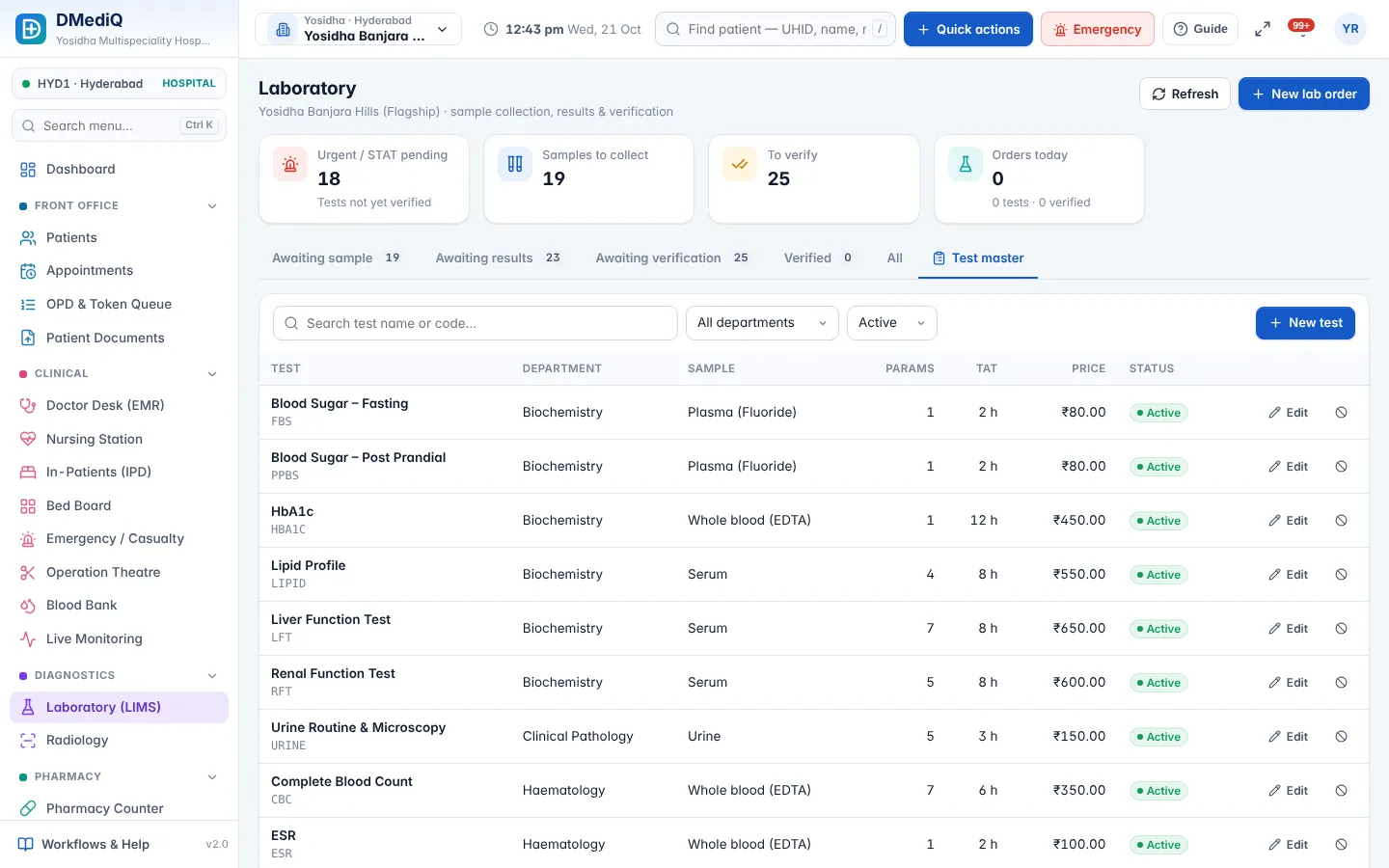
Test & panel masters
Parameters, units, age/gender reference ranges, methods and prices.
Result verification
Two-step entry and pathologist verification with audit trail.
Critical values
Out-of-range results are flagged and the doctor is notified.
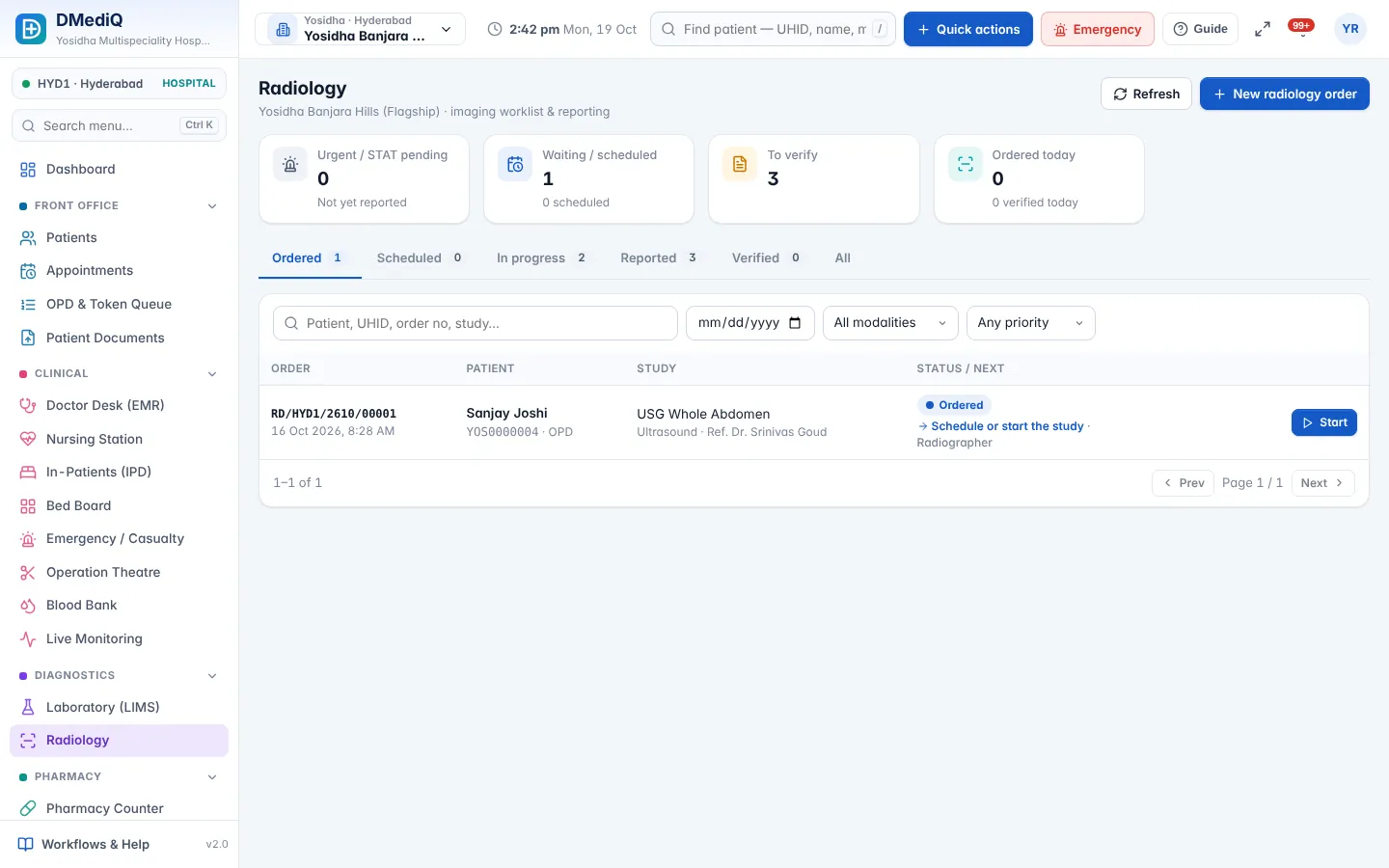
Radiology worklist
Modality worklists, report templates and image links for X-ray, CT, MRI and USG.
Report delivery
Branded PDF reports, SMS/WhatsApp secure links and doctor-desk results.
More screens
Example: CBC with a critical value
- Step 1
Sample collected at 8:40, barcode LAB-26-04512.
- Step 2
Platelets 38,000 — flagged critical; doctor gets an alert on the desk.
- Step 3
Pathologist verifies; the report link goes to the patient by SMS.
Illustrative example with sample data.
FAQ — Laboratory (LIMS) & Radiology
Can we connect lab analysers?
Yes. DMediQ accepts results from devices over HL7 and file/API interfaces. See the device integration guide.
Can we run an outsourced or referral lab?
Yes. Record referral labs, send samples out and enter or upload their results.
Can patients download reports?
Yes. Verified reports are sent as secure, expiring links by SMS or WhatsApp.
Does it track turnaround time?
Yes. TAT is tracked per test and per department with delay alerts.
Works together with
Hospital Management (HIS)
Run every department of your hospital on one connected platform — from the front desk to discharge, across one branch or fifty.
OPD & Appointments
Book, check in, triage and call patients in order — with live doctor load and zero confusion at the front desk.
EMR & Doctor Desk
Give doctors one screen with the full patient history, quick templates and e-prescriptions that print in seconds.